
BixelAI - Image & Video Maker
ByTech Solutions LLCArt & Design
3.99.00 Reviews
- Version
- 3.2.0
- Installs
- 100.00K
- Age Rating
- Everyone
Screenshots
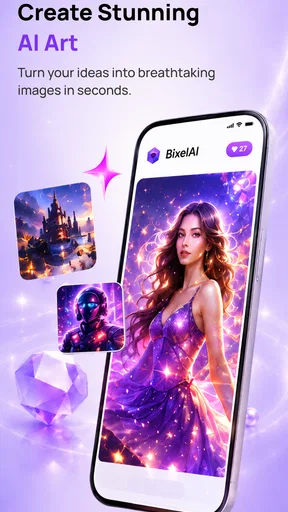
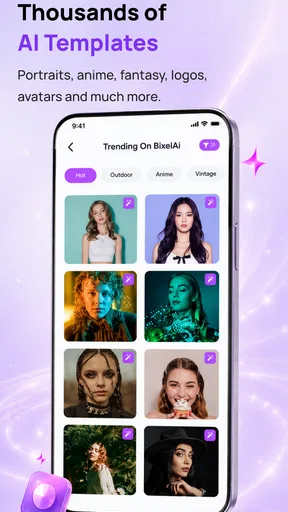
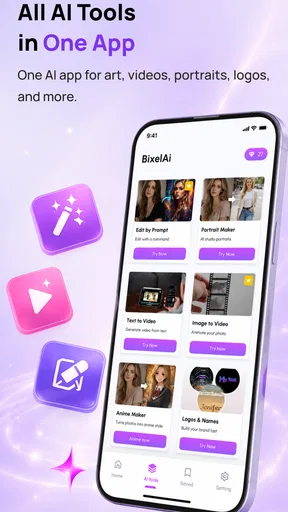
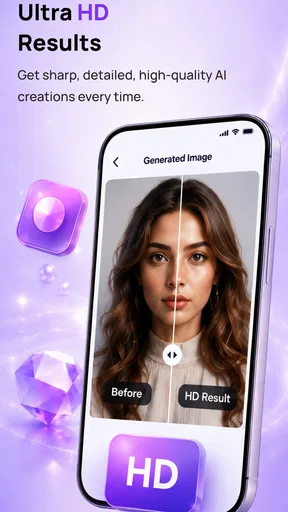
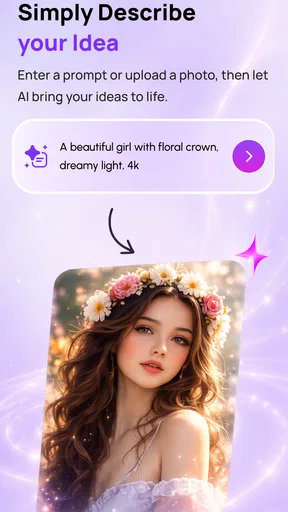
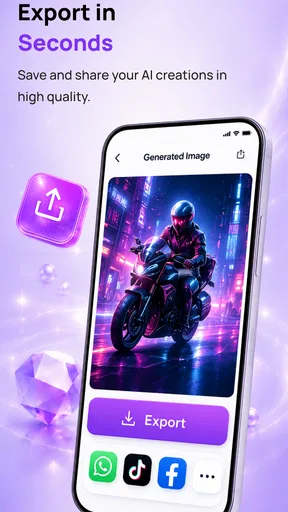
Our Review of BixelAI - Image & Video Maker
 Analysis by Appyee
I approached BixelAI - Image & Video Maker as an everyday creative tool rather than a replacement for a full design suite. It belongs to the Art & Design category and comes from ByTech Solutions LLC, with a simple promise: help people create AI-assisted images and short visual content without needing advanced illustration skills. After using it, my impression is that its appeal comes from reducing the distance between an idea and a shareable visual.
The app is free to install, rated for Everyone, and has reached over 100 thousand installs. Its current version is 3.2.0, and the minimum operating-system requirement is Android 7.1. That combination makes it approachable for people using older phones, although the actual comfort of creating AI artwork still depends heavily on the device screen, performance, and the complexity of the task.
What matters most here is not whether BixelAI can replace a professional editor. It cannot. The more useful question is whether it gives a casual creator, student, social-media user, or small business owner a practical way to turn a rough idea into an image or video. In my experience, the answer is often yes, provided you accept some experimentation and do not expect every generated result to be immediately usable.
How the app feels to read, navigate, and understand
I focus here on how BixelAI’s reading and navigation experience shapes the act of making something, not just how quickly a user can reach a generation screen. In particular, I look at whether its simple creative premise helps people make thoughtful choices—and how a little planning can make the next step feel clearer and less frustrating.
A straightforward starting point for visual ideas
The first strength I noticed is that the concept is easy to understand. You are not entering a complicated timeline editor or a drawing application filled with unfamiliar tools. BixelAI is built around generating visual material, so the basic mental model is clear: describe what you want, choose a direction, review the result, and refine your idea. That simplicity is helpful for people who find traditional design software intimidating.
The app is especially suitable for someone who thinks in words before images. I can imagine using it after writing a short caption, planning a birthday invitation, or needing a background for a presentation. Instead of searching through stock libraries and trying to adapt an almost-right picture, I can begin with the mood, subject, and setting I have in mind. That makes the creative process feel less dependent on drawing ability.
At the same time, AI generation is not the same as selecting a finished template. The result may interpret a request in an unexpected way, and that means the interface is only part of the experience. A readable screen can explain where to begin, but the user still needs patience to judge whether the output matches the original intention. For people who prefer predictable controls, this uncertainty may feel more demanding than a conventional editor.
Why clear wording matters more than visual polish
With this type of app, navigation and writing are closely connected. A user who can describe the subject, composition, color, and atmosphere clearly will usually have a better starting point than someone who enters a single vague word. I found it more useful to think in layers: first identify the main object, then the environment, then the visual style, and finally the practical purpose of the image.
For example, a request for a “calm study poster” leaves many choices open. A more useful instruction might describe a quiet desk, warm evening light, a clean vertical layout, and room for text near the top. That approach is not a hidden button or an advanced setting; it is a workflow insight. BixelAI becomes more manageable when I treat the prompt as a design brief rather than a casual search phrase.
This also affects readability for users who process information differently. Short, concrete instructions are easier to review and adjust than a long paragraph containing several conflicting ideas. I would recommend changing one part of a prompt at a time. If the subject is right but the mood is wrong, revise the mood instead of rewriting everything. That makes the process easier to understand and reduces the mental effort of comparing unrelated changes.
Good for exploration, less ideal for exact layouts
The app makes the most sense when the goal is visual exploration. I can see it helping someone test several directions for a social post, brainstorm a mood board, or create a playful illustration for a personal project. It is less convincing when the job requires exact typography, consistent branding, measured spacing, or repeated characters across a series.
That distinction is important because AI artwork often looks finished at a glance while still needing careful inspection. Small details can be awkward, and text inside generated images may not behave like text in a normal design program. For a formal flyer, product label, invoice graphic, or accessibility-focused document, I would rather create the visual concept in BixelAI and complete the final composition in an editor with dependable text and alignment tools.
Practical readability habits
On a small phone, creative apps can become tiring when the user has to switch repeatedly between fields, previews, and controls. I found that writing prompts in a notes app first can make the session calmer, especially if the idea involves several requirements. It also helps to keep a simple version of the prompt and then add details gradually.
I would not judge the whole experience by one generation. A single unusual result may reflect the wording rather than a permanent limitation. However, repeated attempts can become frustrating if the app does not produce the visual logic you need. My advice is to decide in advance how many variations are worth trying. That small boundary prevents an open-ended experiment from turning into wasted time or unnecessary screen use.
Motor and sensory considerations during creation
BixelAI has a useful advantage for people who find freehand drawing difficult: the main creative input can be expressed through language rather than precise finger movement. Someone with limited fine-motor control may find it easier to type or dictate a description than to manipulate brushes, layers, and tiny handles. This does not make the app universally accessible, but it changes the kind of effort required.
It can also suit users who want to avoid the visual complexity of a traditional design workspace. A conventional editor may present many icons at once, while an AI generator can offer a more focused path from idea to result. That said, the benefit depends on how comfortably the user can read the interface, enter text, review an image, and move between controls. I would not assume that a simpler creative model automatically solves every navigation challenge.
For users who rely on larger text, screen magnification, voice input, or other device-level assistance, the practical experience may vary. The app runs on Android, but the phone’s own settings and the specific screen layout will influence how comfortable it is. I would test the first creation session before committing to a larger project, paying attention to whether labels remain understandable, whether controls are easy to reach, and whether the preview can be inspected without strain.
Visual sensitivity is another consideration. AI-generated images can contain intense colors, sharp contrast, or busy compositions, depending on the request. If that is uncomfortable, I would deliberately ask for soft lighting, restrained colors, simple backgrounds, and low visual clutter. This does not control every detail, but it gives the generation a clearer direction. A calmer prompt can make the result easier to inspect as well as more attractive.
A workflow that reduces hand strain
One practical way to use the app is to separate planning from production. I would write the prompt away from the generator, decide what the image is for, and only then open BixelAI to create variations. This avoids repeatedly typing the same idea while holding a phone and makes it easier to compare results. If voice dictation is comfortable on the device, it may also reduce the need for extended keyboard input, though the dictated wording should be checked before generating.
Another useful habit is to avoid unnecessary perfectionism in the first pass. Ask for a broad concept, inspect the composition, and then decide whether the next attempt needs a different subject, layout, or mood. Trying to solve every detail in one prompt can create a long sentence that is difficult to edit. Shorter revision cycles are usually easier on both attention and hands.
When the image-to-video idea is useful
The video side gives BixelAI a broader role than a basic image generator. I can see a realistic everyday use in preparing a short visual for a community announcement. Imagine a volunteer needs a gentle animated background for a reminder about a local event but has no design training. The person could begin with a still concept, decide whether the atmosphere feels appropriate, and then use the video-oriented workflow to produce something more engaging than a static picture.
For social posts, this may save time compared with building motion manually. It is also useful for people who understand their message but do not know how to animate it. However, I would keep expectations modest. A generated visual is not automatically a complete communication piece. It still needs a clear message, readable text added in a suitable editor, and a review for distracting or confusing elements before sharing.
People who are sensitive to motion should be selective about the final result. A moving visual may be less comfortable than a still image, particularly when the scene is busy or the movement feels abrupt. In that situation, the image-generation side may be the better choice. The fact that an app can create video does not mean video is always the more inclusive format.
Situational access: where it fits into real routines
BixelAI is most convenient when I need a visual quickly and do not have access to a laptop or a full creative workspace. A phone-based workflow is useful during a commute, between meetings, or while collecting ideas away from a desk. The free entry point also makes it easier to try the concept before deciding whether it belongs in a regular creative routine.
That convenience has limits. AI creation can require attention, repeated review, and a stable enough session to evaluate several results. It is not ideal when I am rushing through a crowded environment, dealing with poor visibility, or trying to work quietly without typing. In those moments, a prepared template or a simple stock image may be faster and more predictable.
The app can be a good companion for students who need visual inspiration, but I would encourage them to use it as a starting point rather than a shortcut around thinking. A generated illustration can help explore a topic or presentation style, while the student remains responsible for the accuracy and appropriateness of the final work. The same principle applies to small businesses: the tool can support brainstorming, but important public-facing material deserves human review.
Who is likely to benefit most
I would recommend BixelAI to casual creators, social-media users, hobbyists, and people who want to explore visual ideas without learning a full illustration package. It is also promising for users who prefer describing an image instead of drawing one. The app’s Everyone content rating makes it broadly approachable from an age-classification perspective, although adults should still guide younger users when generated content is being shared publicly.
It is less suitable for a professional designer who needs exact control over every object, a brand team that requires consistent visual identity, or anyone producing final artwork with strict layout requirements. Those users may appreciate the speed of concept generation, but they will probably need another application for editing, typography, file preparation, and quality control.
Cost, expectations, and the point where free stops being enough
The app is free, but it includes optional in-app purchases ranging from $2.49 to $27.99 per item. That makes the first trial accessible, while also creating an important decision point for regular users. Before paying, I would work out how often I expect to generate images or videos and whether the app is genuinely saving time compared with my usual tools.
I would also avoid treating every appealing result as something worth purchasing or keeping. A disciplined workflow helps: define the purpose, generate a small set of directions, keep only the strongest concept, and finish the design elsewhere if precision matters. This is especially important for users on a limited budget. AI tools can encourage repeated experimentation, and repeated experimentation can become the real cost even before a purchase is made.
Remaining barriers that affect the experience
The biggest barrier is not necessarily navigation; it is the gap between a user’s intention and the generated output. Someone with a clear mental picture may feel disappointed when the result captures the subject but misses the composition. Users who need dependable consistency may find this more tiring than using a conventional editor, where each adjustment has a more predictable effect.
Another barrier is inspection. Generated images can look attractive while containing details that do not fit the context. A person creating a school notice, community message, or business post should check faces, hands, symbols, implied text, and overall tone rather than sharing the first appealing result. This extra review is part of responsible use, and it may be demanding for someone who has difficulty examining busy visual content.
There is also a learning curve hidden behind the simple premise. The app may be easy to open, but good results still come from learning how to describe an idea, remove ambiguity, and make controlled revisions. Users who want instant, repeatable templates may prefer a standard design app. Users who enjoy exploring possibilities are more likely to see the uncertainty as part of the fun.
For people who need a fully predictable offline workflow, a traditional editor may be a better fit. For people who need advanced accessibility controls, I would judge the actual interface on their own device rather than assuming that an AI-focused layout will meet every need. The minimum Android requirement of 7.1 helps older-device compatibility, but compatibility alone does not guarantee comfortable use on every screen size or with every assistive setup.
How it compares with familiar alternatives
Compared with a template-based design app, BixelAI offers more freedom at the idea stage but less certainty about the final arrangement. Templates are faster when the format is known, such as a poster, invitation, or social card. BixelAI is more interesting when the desired visual is unusual or difficult to find in a library.
Compared with a drawing app, it lowers the need for manual illustration but also reduces direct control. A drawing tool rewards patience and precision; this app rewards description and selection. Compared with a stock-photo service, it can produce a more tailored starting point, but stock images may be more dependable when realism, recognizable subjects, or professional consistency are essential.
My preferred workflow would often combine tools rather than force one app to do everything. I would use BixelAI for visual brainstorming, select a promising direction, and then move to a conventional editor for exact wording, spacing, contrast checks, and final presentation. That combination respects the app’s strongest role instead of judging it against tasks it was never designed to handle alone.
My inclusive verdict
After weighing the convenience against the uncertainty, I see BixelAI as a friendly entry point to AI-assisted image and video creation. Its strongest inclusive quality is that it lets users begin with language instead of requiring drawing skill or mastery of a dense design interface. That can open creative work to people who would otherwise stop at the blank canvas.
Still, inclusive use depends on context. A user may need a larger display, device-level assistance, careful prompt planning, or a second editor to make the result genuinely usable. People sensitive to visual clutter or motion should choose calmer prompts and consider sticking with still images. People who need exact branding or reliable text placement should treat the app as a concept generator rather than a finished-production tool.
The 3.9 average from over 600 ratings suggests a mixed but meaningful response from its audience, and that feels consistent with my own view: the idea is accessible, while the results require judgment. I would recommend trying the free version with one small, real task instead of beginning with a major project. If it helps you reach a useful concept faster than your usual method, it has earned a place in your toolkit.
My bottom line is simple: BixelAI is worth exploring when you want to turn a verbal idea into an expressive visual and can accept a little trial and error. I would recommend it to curious beginners and mobile creators, but I would choose a more controlled design application for precision work, formal documents, or projects where accessibility and consistency must be checked in detail.
Verdict
Strengths of BixelAI - Image & Video Maker
- Creates images and videos from simple text prompts.
- Offers ready-made templates for faster content creation.
- Useful for social posts, ads, thumbnails, and creative projects.
- Supports quick experimentation with multiple visual styles.
- Cloud-based workflow makes projects accessible across devices.
Limitations of BixelAI - Image & Video Maker
- Some advanced features may require a paid subscription.
- Generated results can vary noticeably between prompts.
- Video creation may take longer on older or weaker devices.
- Export quality and formats may depend on the selected plan.
- AI outputs may include unwanted details or require manual editing.
Similar Picks in This Category
View All
Canva: AI Photo & Video Editor
Canva4.8

PENUP – Drawing-sharing SNS
Samsung Electronics Co., Ltd.4.5

Crafto
Kutumb App4.6

Sketchbook
Sketchbook4.1

ibis Paint X
ibis inc.4.5

Adobe Express: AI Photo, Video
Adobe4.6
Frequently Asked Questions
What is BixelAI - Image & Video Maker, and what can I create with it?
BixelAI - Image & Video Maker is an AI-powered creative app designed to help users generate visual content from written prompts or creative ideas. Depending on the available tools and version, you can use it to produce images, stylized artwork, social media graphics, and short video content. It is aimed at both beginners and creators who want to experiment without requiring advanced editing skills.
Is BixelAI - Image & Video Maker easy to use for beginners?
The app is generally designed with a straightforward workflow: enter a description, choose a visual style or format when available, and let the AI generate the result. Beginners can start with simple prompts and gradually add details such as colors, subjects, moods, and camera styles. However, producing consistently accurate results may require several attempts and some practice with prompt writing.
Does BixelAI require an internet connection to generate images or videos?
Yes, AI generation normally requires an active internet connection because prompts are processed on remote servers rather than entirely on the phone. The app may allow you to view or manage previously saved creations offline, but generation, downloading certain assets, and some editing features can depend on connectivity. A stable Wi-Fi or mobile data connection is recommended for smoother results.
Is BixelAI free to download, and are there in-app purchases?
BixelAI may be available to download at no initial cost, but users should check the current store listing carefully because access to premium generation tools, higher resolutions, video features, credits, or an ad-free experience can be restricted. In-app purchases or subscriptions may apply, and pricing can vary by platform, region, and promotional offer. Review the payment terms before confirming any trial or subscription.
Can I use images and videos created with BixelAI for commercial projects?
Commercial usage depends on BixelAI’s current terms of service, the selected plan, and the rights associated with any assets used in the generation process. Before using content for advertising, client work, merchandise, or monetized social media, check the app’s licensing rules and avoid prompts involving copyrighted characters, trademarks, or identifiable people without permission. AI-generated content may also require additional review for originality and legal compliance.
